The module was proposed in https://github.com/hanatos/vkdt/pull/269/
I wanted to compare the contrast of a typical DLP projector to a DLP projector that has a PLM spacial light modulator that steers the light onto the necessary regions of the image. Specifically, I wanted to capture an image of these two projections side-by-side, for non-technical demonstration purposes only.
Snap a pic
The simple way to go about this is to pull out your iPhone with decent dynamic range and snap a pic of the projection screens and say “look, this one here is brighter!” While true, it does not tell the full story. The PLM+DMD projector will actually have darker blacks and that is just as valuable selling point as the brighter whites. These darker-darks will not be captured by the typical camera in a single exposure because the camera needs to be shot with such a fast exposure to see the brighter-brights that all of the shadows get squished so far down they will probably get lost in the saved file format bit depth or noise.
Making Technical the Non-Technical
In order to capture such a high dynamic range, you could take several exposures at the same composure and then combine them together. Changing f-number would be sub-optimal because each exposure would have a different depth-of-field, chromatic abberation, and other optical differences. Changing the ISO could work. I think an issue might be high-iso noise, but I watched that digital cameras have little to no noise increase as you increase ISO so that may work. The best method seems to be changing the shutter speed. After taking these several images, you could then feed them into software such as hdrmerge by jcelaya or similar.
I wanted to know how it did this.
I found another, simpler piece of software that performed the merge by wjakob The algorithm is surprisingly simple because we can take advantage of a couple of relationships.
The camera sensor records data into the raw file proportional to the number of photons hitting each pixel. Basically just a toy photon counter.
Knowing
where
- is the Luminous Exposure in photons per unit area (photons/micron^2);[2]
- is the sensor irradiance in photons per second (photons/s)
- is the exposure time (“shutter speed”) in seconds;
plus pixel values () are some proportional value to the experienced exposure.
The proportional constant is impossible to answer without knowing the exact camera model and it’s sensor-to-raw pipeline parameters. In our case, we are comparing images from the same camera so this constant is irrelevant.
Now with all the technical stuff out of the way, we can get pixel irradiance values, which should be constant regardless of shutter speed. We pick the best one from the set of exposures that is closest to “middle value” (not clipping high or low), and use it to contribute to the resulting radiance map (or image/exposure if multiplied by some time ).
with being some symmetric center-weighing function.
Implementation
I have implemented this as a vkdt module. Below is the core algorithm in glsl.
...

float triangular_weight(float z)
{
  float zmin = 0.0 + EPSILON;
  float zmax = 1.0 - EPSILON;
  if(z <= zmin || z >= zmax) return 0.0;
  return 1.0 - abs(2.0*z - 1.0);
}

void main()
{
  ivec2 ipos = ivec2(gl_GlobalInvocationID);

  // Z = pixel digital value
  // X = exposure
  // E = irradiance (proportional to exposure for linear sensor response)
  // t = exposure time
  // w = weight

  float num = 0.0;
  float den = 0.0;

  for (int i = 0; i < n; i++)
  {
    float X = Z(i, ipos);
    float E = X / t(i); // irradiance estimate from this exposure
    float w = triangular_weight(Z(i, ipos));
    num += w * E;
    den += w;
  }

  float E;
  if (den > 1e-6) {
    E = num / den;
  } else {
    // fallback if all samples looked invalid
    for (int i = 0; i < n; i++)
    {
      float X = Z(i, ipos);
      float E = X / t(i); // irradiance estimate from this exposure
      num += E;
      den += 1.0;
    }
    E = num / den;
  }
  float rgb = E;
  imageStore(img_out, ipos, vec4(vec3(rgb), 1.0));
}Results
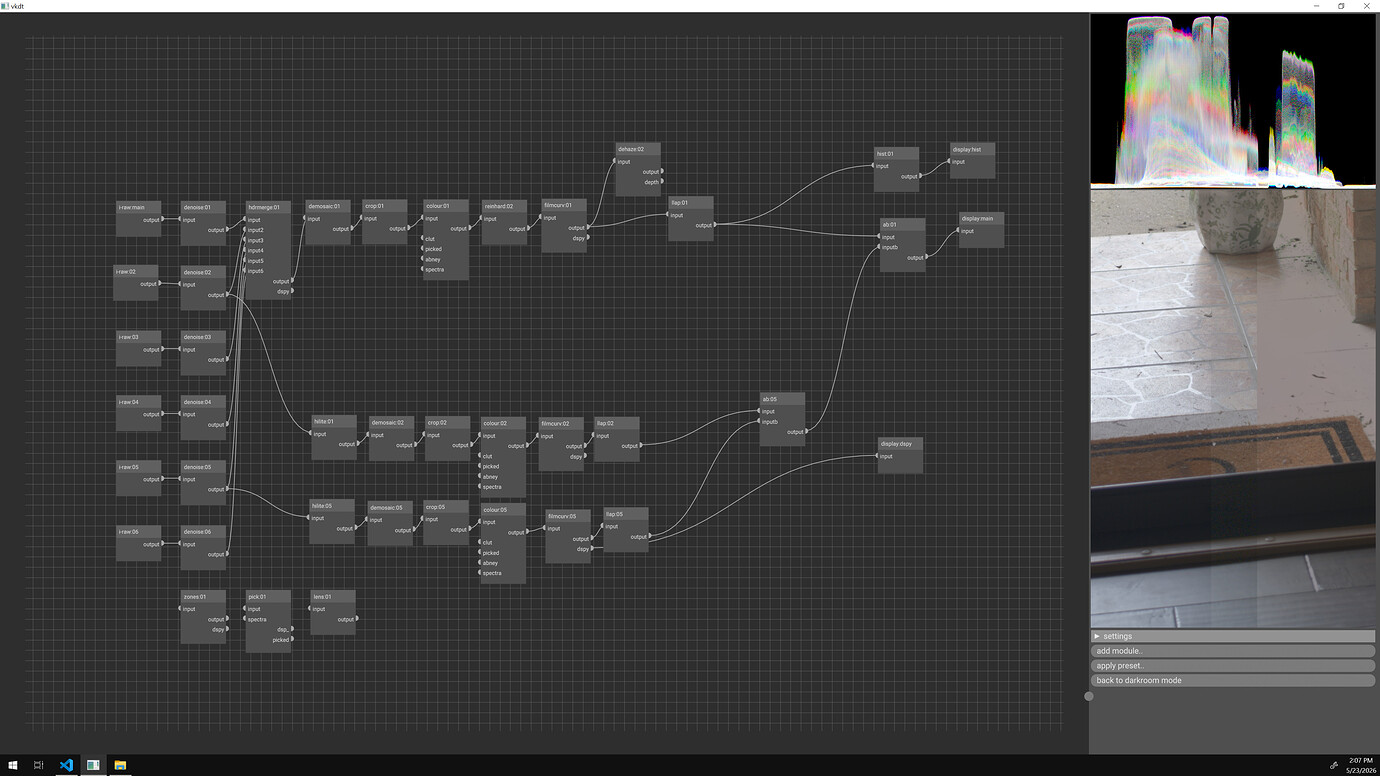
This is being run in the hdrmerge module I developed. In the example below, you can see four images with different exposures feeding into this module.
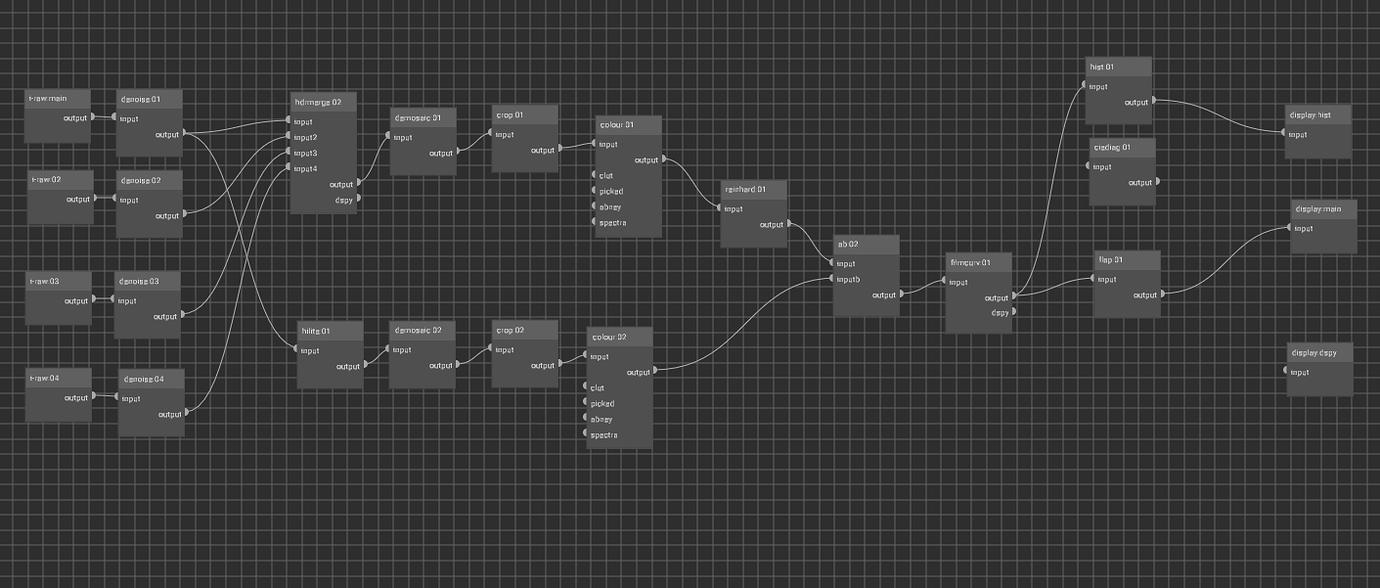
colour 02 exposure is untouched but 01 exposure is adjusted to visually match 02.
What is the module doing? It is adjusting image exposures to equal irradiances and picking pixels with middle values (0.5 in the case of [0, 1]) to contribute to the resulting image.
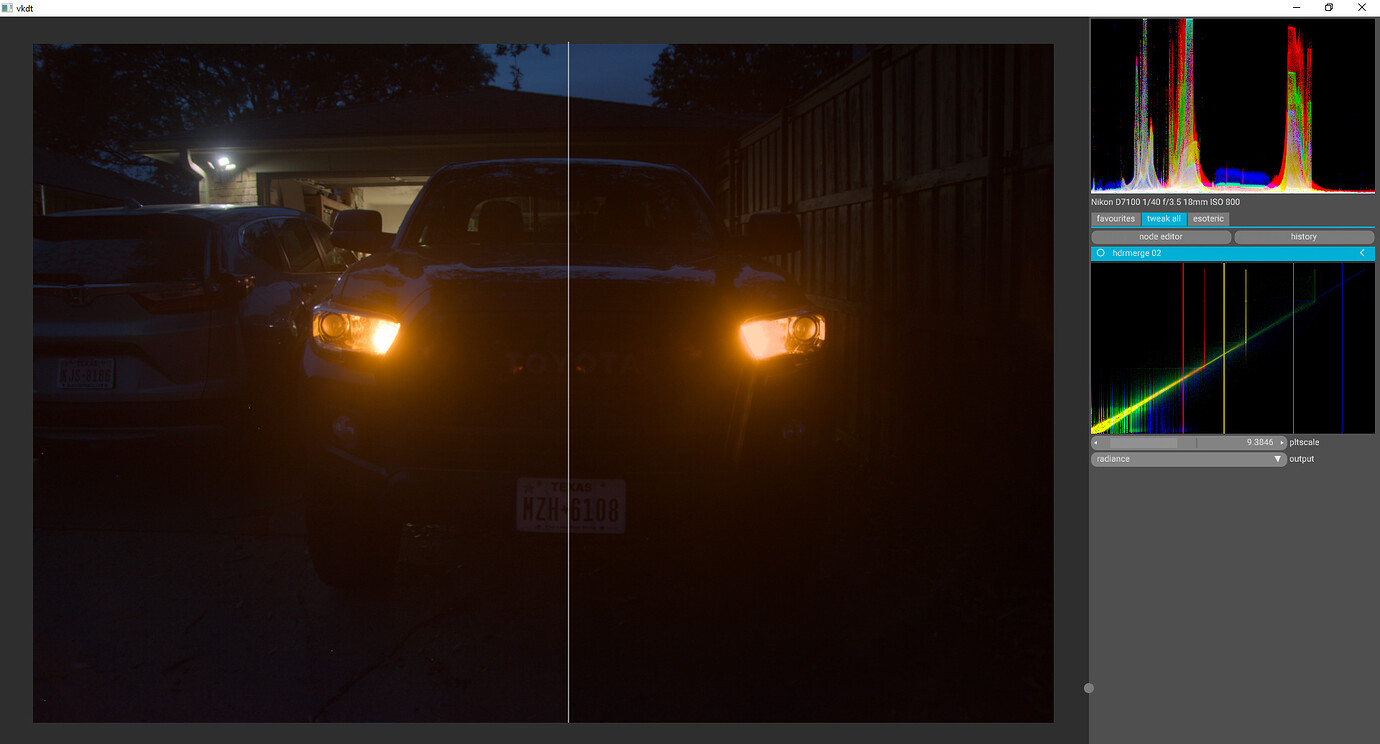 Left: hdrmerge – Right: Typical pipeline with exposure match
Look at the lack of bright value detail and the amount of clipping going on the right side compared to the left side.
The side plot is a log-log plot of log irradiance (lnE) vs the pixel output (Z) for each exposure (Red/Yellow/Green/Blue). Notice how it looks like some color go up and to the right, but then stop going right and continue up. This is where the camera peaks. Also notice how noisy the lower left is, especially for the blues and greens. This is sensor noise on the faster images that couldn’t pick up dark details. It has vertical lines showing that input “middle value” bar for each input.
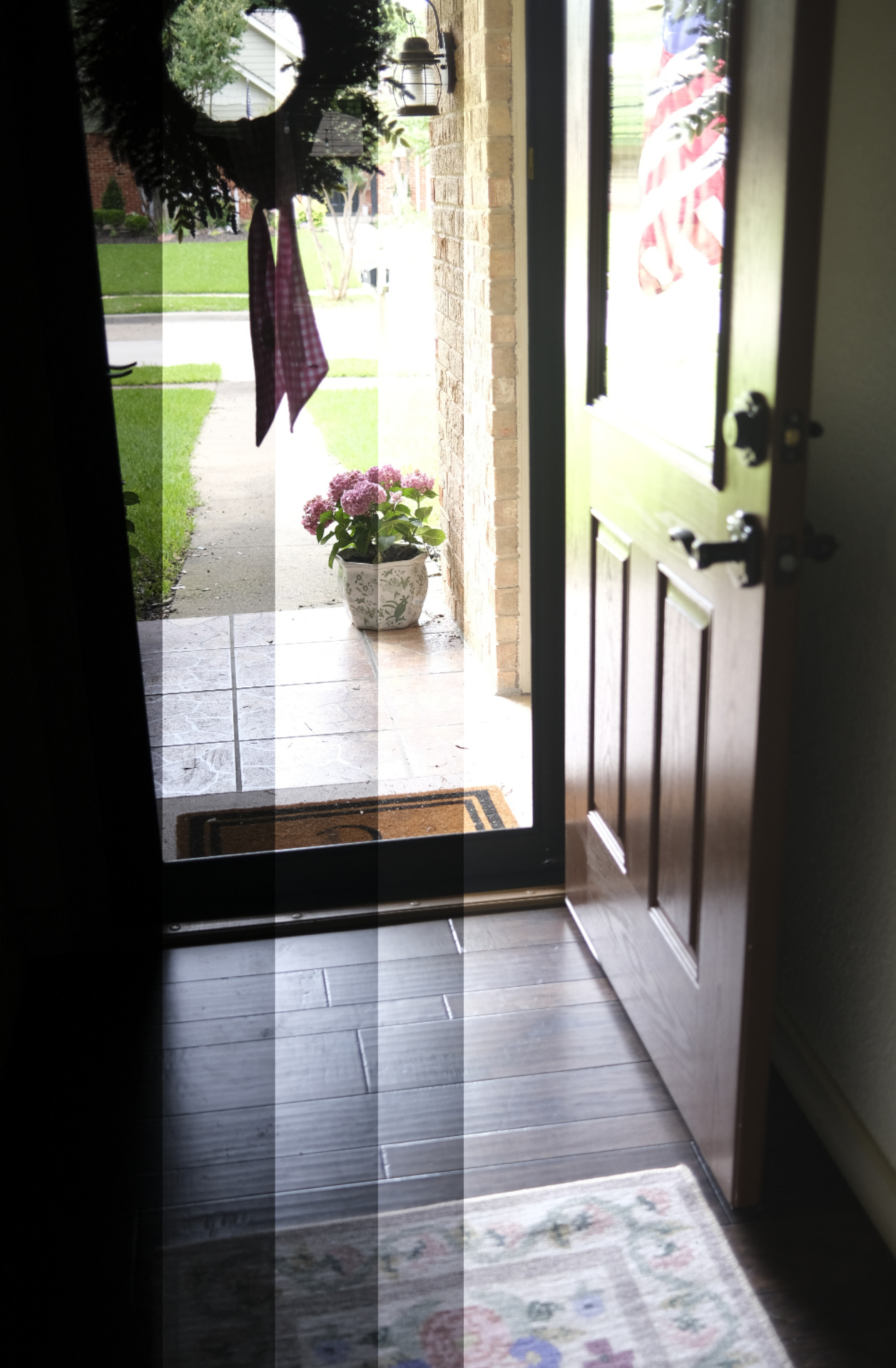
I then tried a new composure on a new camera. This is out my door and is pretty difficult to capture since there is dark indoor shadows and bright direct lighting. Here is and a/b of five images ( I couldn’t do all six because my gpu does not have enough memory I guess)
and here is the resulting merge
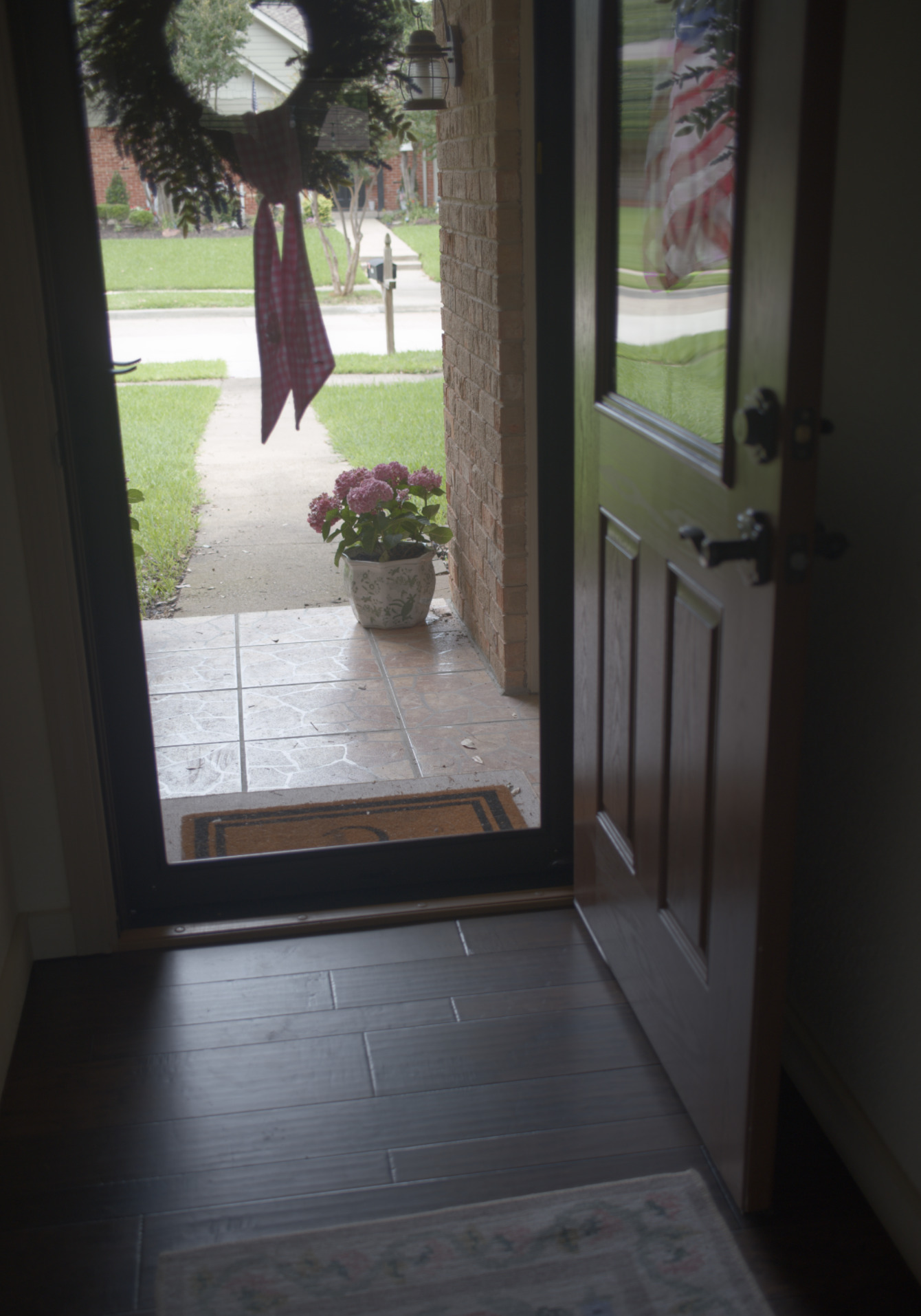
The stacked images of the flag reflection in the door is where this method falls short.
Comparing the above merge next to the second and fifth shots which are exposure matched to “close enough”.
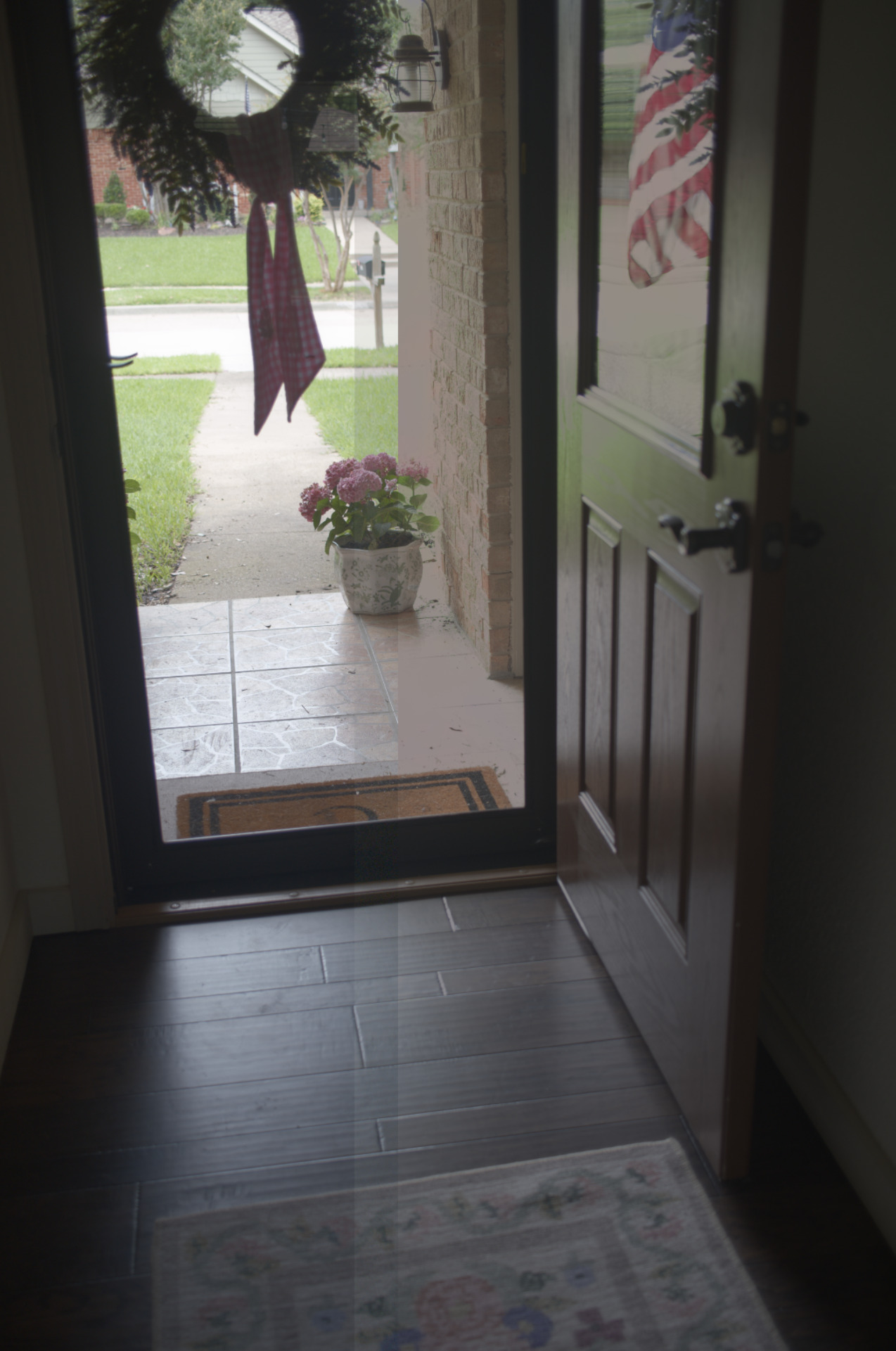
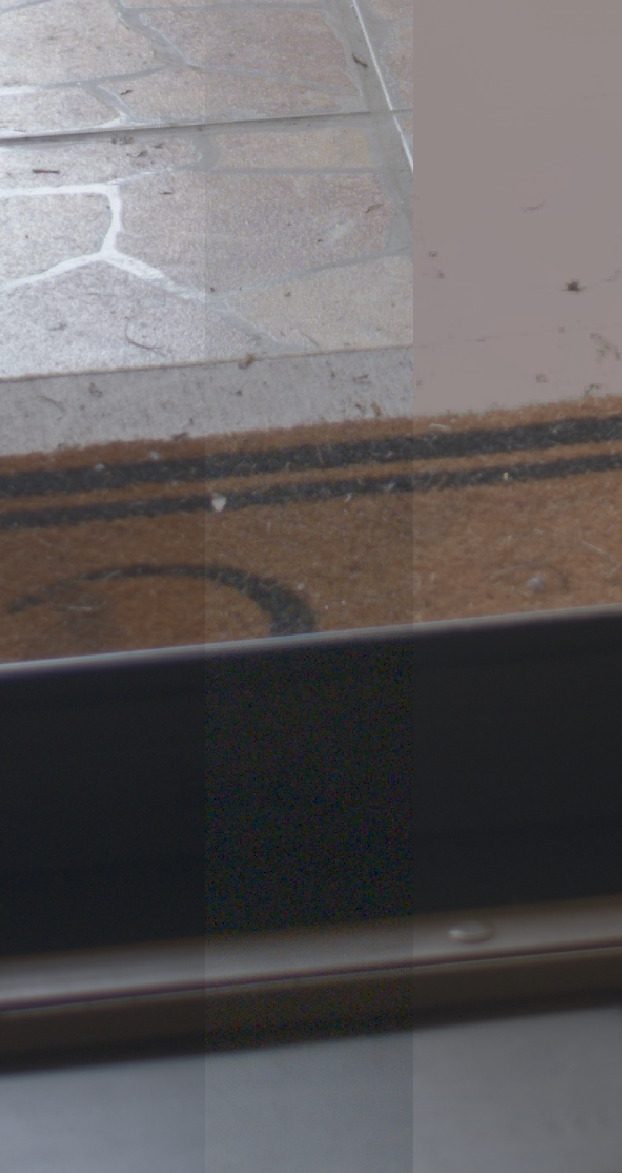 Left: hdrmerge 6 images
Middle: second exposure, faster
Right: fifth exposure, slower
Even further
If we wanted absolute values in photons/micron^2 (or lx-s), we can dive deeper, but here be dragons. [3]
We know the camera equation to be
where
- is the sensor irradiance in photons per second (photons/s)
- is the incident light spectral power distribution and lens dependent constant [2:1]
- is the average scene luminance in candela per square meter (cd/m^2);[4]
- is the relative aperture (f-number);
since , we get
Non-linear cameras
The above implementation requires scene-referred linear raw inputs. I want to try to implementing HDR algorithm by Debevec[5] to calculate the CRF for non linear inputs.